
See how Osentra helps organise work and keep better business records.
Osentra is built around the natural workflow many small service businesses already follow — from customer enquiry to job completion, invoicing, payment tracking and clearer records.
The goal is to help sole traders and SMEs reduce admin pressure, track daily operations, and maintain structured records that can support monthly, quarterly and yearly financial review.

From enquiry to payment — with clearer business records along the way
Osentra helps SMEs move work clearly through each operational stage while building structured records that support visibility, reporting and future tax preparation.
Enquiry
Capture customer requests and contact details.
Booking
Schedule work and organise upcoming jobs.
Job
Track work as active, completed or cancelled.
Invoice
Generate invoices and maintain structured records.
Payment
Monitor unpaid, overdue and paid invoices.
Business Records
Maintain clearer records that support reporting and tax preparation.
Step-by-step workflow
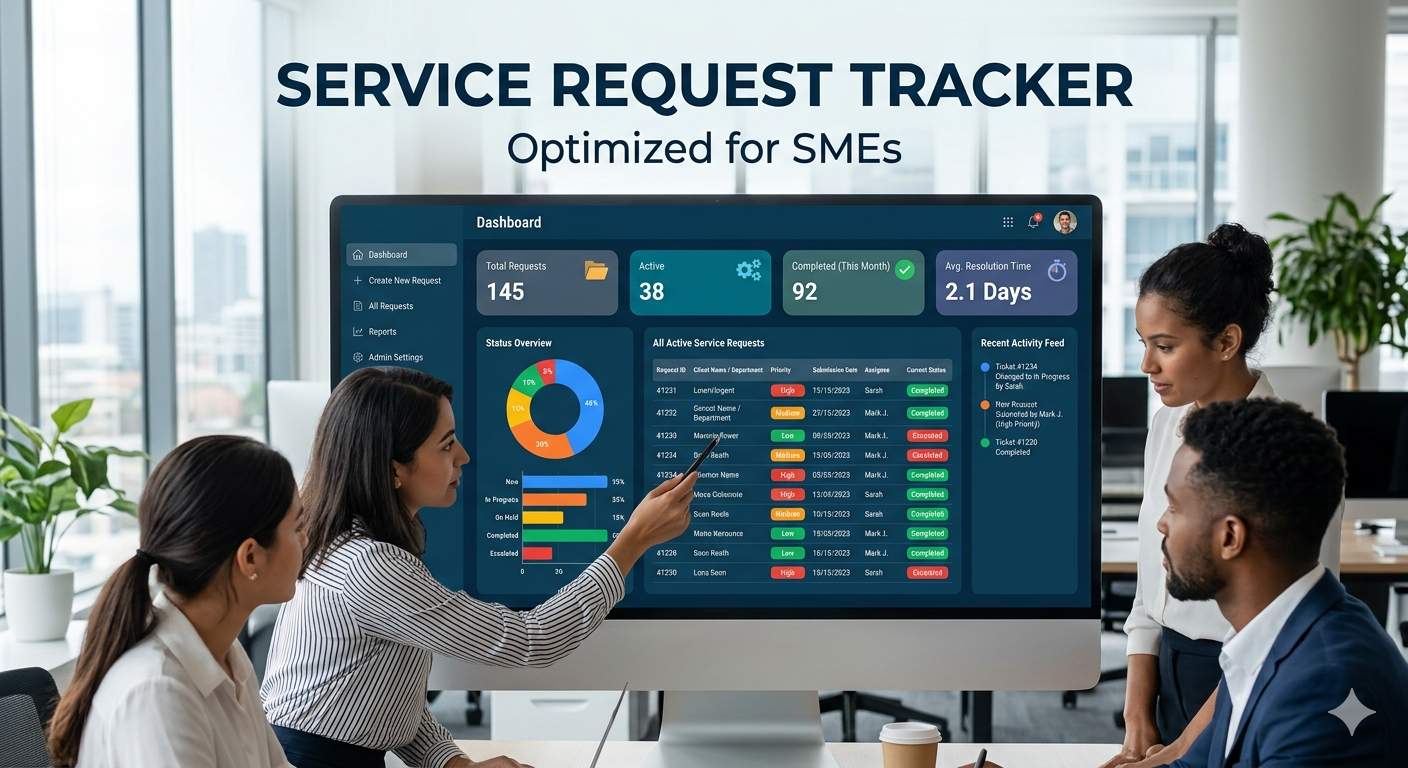
Capture customer enquiries
Record customer enquiries, requested services, notes and contact information in one structured place. This helps reduce the risk of losing details in messages, notebooks or memory.
- ✔ Customer contact details
- ✔ Service requests
- ✔ Notes and job information
- ✔ Enquiry status tracking
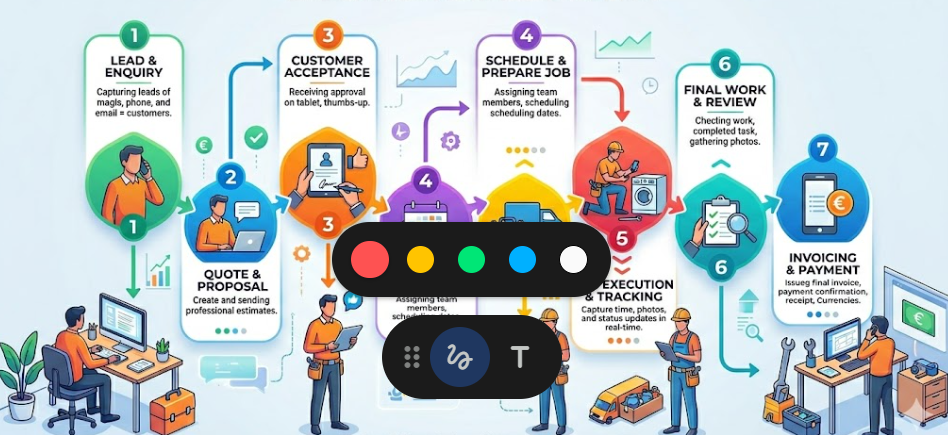
Convert enquiries into jobs
Move enquiries into active jobs and manage work through a structured operational workflow. This makes it easier to see what is booked, what is in progress and what has been completed.
- ✔ Booked jobs
- ✔ Active work tracking
- ✔ Completed jobs
- ✔ Operational visibility
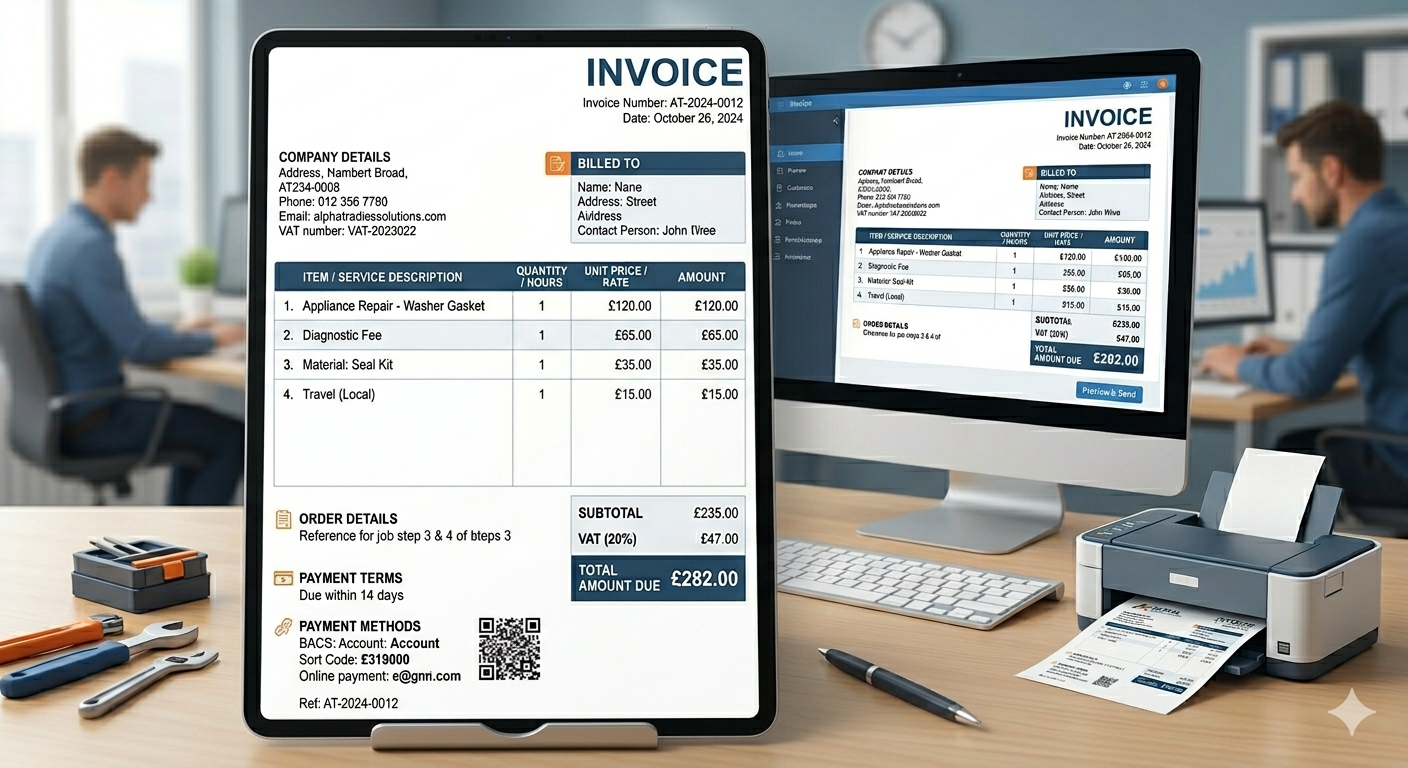
Generate invoices and track payments
Create invoices from completed jobs and track payment activity clearly from the dashboard. This helps business owners see what has been paid, what is outstanding and what may need follow-up.
- ✔ Invoice generation
- ✔ Outstanding amount tracking
- ✔ Overdue invoice visibility
- ✔ Paid invoice history

Build clearer records for reporting and tax preparation
The dashboard gives SMEs a clearer operational view of enquiries, jobs, invoices and business activity. Over time, these structured records can support monthly, quarterly and yearly financial review.
- ✔ Active jobs overview
- ✔ Financial visibility
- ✔ Recent activity tracking
- ✔ Records that can support accountant and tax preparation
Not just workflow — better business records over time.
Many sole traders only discover record gaps when it is time to prepare figures for an accountant, review quarterly performance or organise information for tax return purposes.
Osentra helps structure the daily operational activity of the business so that important information is captured as work happens, not rushed together at the end of the month or year.
The platform is not designed to replace an accountant, but to help SMEs keep cleaner records that make financial review and tax preparation less stressful.
Records Osentra helps organise
- ✔ Customer and contact information
- ✔ Job history and completed work
- ✔ Invoice records
- ✔ Paid, unpaid and overdue amounts
- ✔ Operational activity over time
- ✔ Information that can support accountant review
Why this matters for sole traders and service SMEs
Osentra helps turn scattered daily activity into a clearer operational and financial record.
Reduce Admin Time
Spend less time updating records manually after work.
Keep Better Records
Maintain clearer customer, job, invoice and payment history.
Track Payments Clearly
Know which invoices are unpaid, overdue or completed.
Support Tax Preparation
Keep structured records that can make future financial review easier.
Ready to simplify your workflow and keep better records?
Start organising enquiries, jobs, invoices, payments and business records through one structured dashboard.